
ACH payments, from setup to settlement
Move money with more clarity.
Practical, screenshot-backed help for customers, one-time and recurring ACH payments, deposits, returns, reports, and team access.
Browse by task
Get from question to a verified next step.
Every guide names the outcome, prerequisites, exact UI labels, expected result, safety checks, and likely fixes.
Start here
Learn the ACH model, dashboard, navigation, and support paths.
Customers & payments
Add customers and create safe one-time debits or credits.
Recurring & transactions
Schedule repeat payments and trace transaction activity.
Deposits, reports & exceptions
Reconcile deposits, export reports, and handle returns or disputes.
Team & settings
Control employee access, merchant details, and processing settings.
Developers
Find the separate API library for programmatic integrations.
Before the first payment
Set up the customer, confirm direction, then review the total.
ACH transfers are bank-account movements. Slow down at the three places that matter most: customer details, collect-versus-send, and the final summary.
Follow the one-time payment guide- 01Add and verify the customer
Use the correct person or business profile and bank account.
- 02Choose collect or send
Collect pulls money in; send moves money out.
- 03Choose timing
Review the speed, current fee, and any availability label.
- 04Review before submitting
Confirm customer, amount, direction, date, and memo.
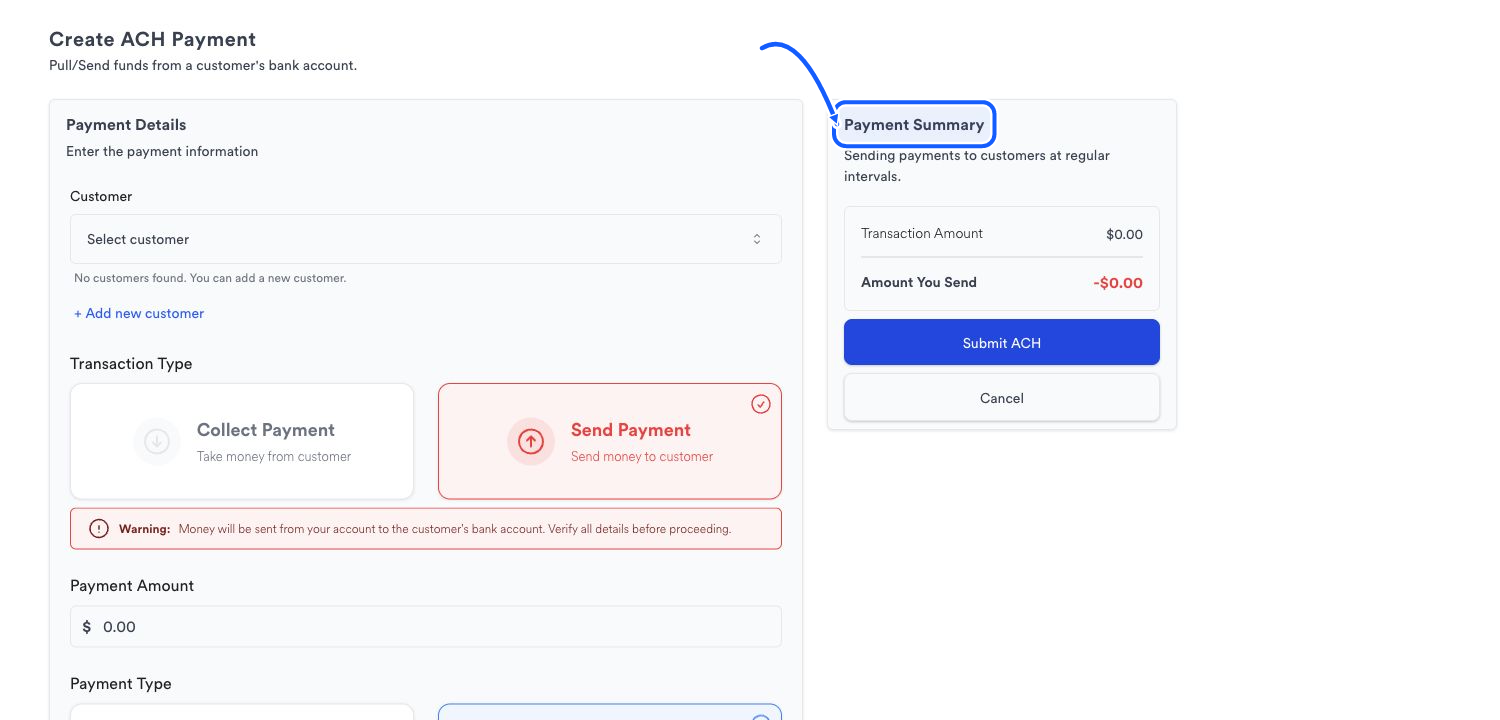
Direction matters
Know whether money is coming in or going out.
The payment summary changes between collecting from a customer and sending to one. Treat that summary as the final control before creating any ACH transaction.